
 Laura
Laura
Every January, most of us dive into fresh starts like new routines, new calendars… maybe even new gym memberships we swear this time we’re going to stick to. But there’s one reset that often gets overlooked, and it’s arguably more important than all the others combined: Your annual (or ideally semi-annual) digital security check-up.
Cybersecurity used to feel like something reserved for that guy at work in IT who fixes your laptop. Not anymore. It’s now woven into everyday life: your smartphone, your home Wi-Fi, your kid’s tablet, your smart home devices (doorbells, thermostats, fridges etc.), your business accounts… everything.
As the Canadian Centre for Cyber Security’s National Cyber Threat Assessment 2025-26 points out, cybercrime remains the most likely threat Canadians will face online, and the risks are evolving fast.

AI-Powered Scams Are Getting Uncomfortably Convincing
Generative AI has levelled up their game and yours needs to level up along with it. As a result, you can’t rely on the old “spot the typo” rule anymore. Today, scam messages look polished, well-timed, and oddly personal.
According to the National Cyber Threat Assessment, AI allows attackers to bypass the usual red flags, making their schemes much harder to detect at a glance.
Real-Time Voice Cloning Is Here
Scammers can now clone voices using short audio clips pulled from social media, then use those “voice clones” in live calls, impersonating loved ones in distress. If a family member calls asking for urgent financial help, treat the situation as unverified, even if the voice sounds exactly like theirs.
How to protect your family:
- Set a family code word. Pick a word or phrase that only your household knows. Then, if anyone calls with an emergency, ask for the code before you do anything else. If they can’t provide it, end the call.
- Reduce what strangers can learn about you. Make your social profiles private where possible. Also, avoid posting audio-heavy content that makes it easier for someone to mimic your voice.
Perfect, Personalized Phishing
AI helps attackers write clean, believable emails and texts in multiple languages. Because of that, phishing attempts show up more often and feel more “real”. They are designed to look like legitimate correspondence from your bank, the government, or even your boss. Rather than trust the tone or grammar, you must verify the technical details every time.
How to spot the fake:
- Inspect the sender: Look past the display name. Tap or click on the sender’s name to see the actual email address hiding behind it.
- Hover before clicking: On a computer, hover your mouse over any link to see the destination URL. If it looks like a string of random gibberish, do not click it.
- Go to the source: If an email says there’s an issue with your account, don’t use the provided link. Open a new browser tab and log in through your usual bookmark or the official app.
Bottom Line: In 2026, a “perfect” email is more suspicious than a messy one. If a message creates a sense of panic or urgency, take a breath and verify it outside of the email.

Your Web Browsers Is Now a Prime Target
Most of your digital life, from banking to grocery shopping, runs through a web browser. Because of this, attackers have moved toward “identity-centric” attacks that aim for your login details and active sessions rather than old-school malware. According to the Canadian Centre for Cyber Security, protecting your identity online is now just as important as protecting your hardware.
Session Cookie Theft Can Bypass Logins
Attackers try to steal your browser cookies so they can slip into your account without ever needing to type your password. Think of a session cookie like a validated ticket at a concert. If a thief grabs your ticket after you’ve already passed security, they can walk right into the VIP area.
Defend yourself:
- Log Out Properly: When you finish with sensitive sites (especially online banking or other financial accounts), click “Log Out.” Do not just close the tab. Logging out destroys the session cookie, leaving nothing for a thief to steal.
- The “Clean Slate” Restart: Make it a habit to restart your browser after a major update. Some security patches only fully engage once the software has been completely shut down and reopened.
Update Now, Not Later
Browser updates often patch flaws that attackers are already using in the wild. When you see that little “Update” bubble in the corner of your screen, run it immediately.
Pro Tip: Most modern browsers like Chrome, Edge, and Firefox can be set to update automatically. Check your settings to ensure this is turned on so you never miss a patch.
Cut Down Your Extensions
Every browser extension you install is a small piece of third-party code that has a window into what you do online. While many are helpful, some can be malicious or become abandoned by their developers, creating a backdoor into your data.
A Simple Rule: If you haven’t used an extension in the last month, remove it. A “lean” browser is a fast browser and a much safer one.

Your Home Network Is a Prime Target
One of the biggest trends in the 2025-26 Cyber Centre report is attackers abusing home and small office routers to route malicious activity. In other words, your home’s digital infrastructure can become someone else’s cover.
Why target home routers?
Cybercriminals love home hardware for two reasons: stealth and simplicity. By routing traffic through a standard Canadian residential network, malicious activity looks like someone just binging a local streaming service or checking their bank balance. Many routers still operate on factory settings with “admin” as the password. For a hacker, that’s like finding a vault door secured with a sticky note.
The 15-Minute Router Lockdown:
Securing your network doesn’t require an IT degree. You can make your home vastly less appealing to intruders by ticking these three boxes before your morning coffee gets cold:
- Kill the factory default. “Admin/Password” is the first combination any bot tries. Create a unique passphrase for your router’s settings.
- Update the internal software. Log into your router’s settings and look for “Firmware Update”. Manufacturers release these updates to patch security holes that hackers use to break in.
- Cut remote ties. Unless you strictly need to manage your home Wi-Fi while sitting in a cafe in Paris, disable Remote Administration. If they cannot reach the login page, they cannot get in.
Pro Tip: When you update your router’s software, the device will usually restart and your internet will go offline for a few minutes. Plan to do this when nobody is in the middle of a COD campaign or a big download.

Keeping Your Data Safe Even If a Major Service Provider Goes Down
Relying on a single tech giant for email, documents, photos, and storage might be convenient… until it isn’t. If one provider goes down or gets compromised, millions are affected all at once. While having your domains, email and web hosting in one spot is a smart way to stay organized and ensure you never miss a renewal, the National Cyber Threat Assessment suggests adding a layer of personal resiliance.
This isn’t about avoiding the convenience of a central dashboard. It is about making sure that if a global infrastructure provider suffers an outage, your most vital information remains accessible to you.
Strengthening Your Safety Net
Think of your primary service provider as your secure, everyday vault. Resilience simply means keeping a “spare key” and a copy of your most important documents in a second location. This ensures that a temporary platform issue becomes a minor footnotes rather than a major crisis.
How to protect yourself:
- Maintain a “Shadow” Backup: Keep a separate copy of your most vital files, like your business’ legal documents, important personal documents or your irreplaceable family photos/videos. If they are in the cloud, keep a version on a physical drive or a secondary storage service.
- The Physical Fail-Safe: For data you absolutely can’t lose, a physical hard drive provides an excellent offline backup. It’s a one-time setup that guarantees you have access to your files even if your internet connection is down.
- Test Your Backup Regularly: Every few months, try restoring a single file from your backup. Much like a fire drill, this gives you the peace of mind that your safety net is ready to catch you if you ever need it.
If you want more Canadian guidance for everyday users, explore the federal Get Cyber Safe program and the Cyber Centre’s individual guides and resources.
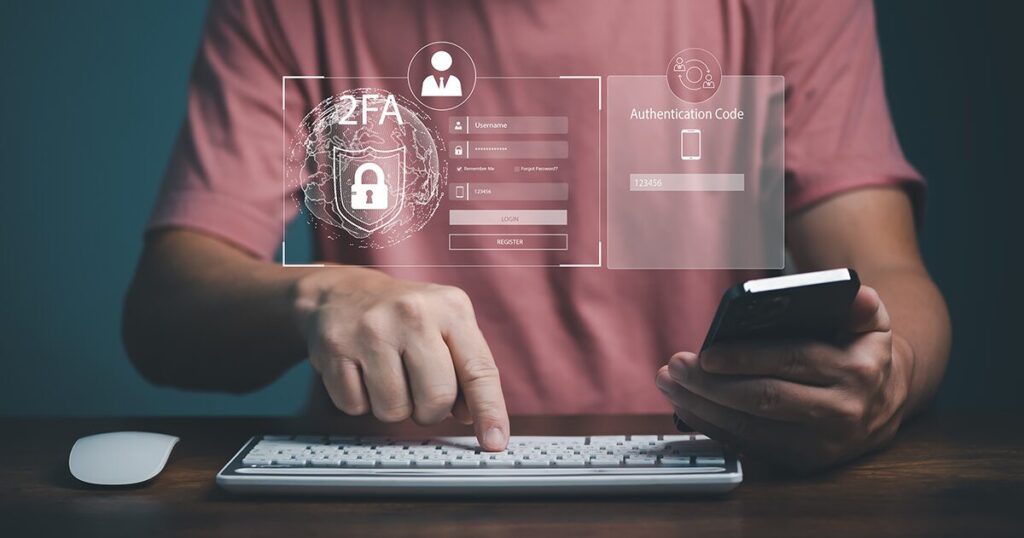
Secure Your Webnames Account
If you manage domains, email, hosting, or other digital services through Webnames, treat your account like the control panel for your online presence. Locking it down provides an immediate security upgrade for every domain and hosting plan you manage.
- Enable Two-Factor Authentication (2FA): This is the best tool to stop an intruder. It makes it so a password along is never enough to access your account by requiring users to provide an additional verification code. This code is usually sent to a mobile device via SMS or generated by a Time-based One-Time Password (TOTP) app, like Google Authenticator. To enable 2FA or to check if you have yours enabled, go to your Account Security Settings.
- Build Strong Password Habits: A “strong” password should be at least 15 characters long. You should consider using a passphrase of at least 4 words that don’t have any relation to each other, but that are easy to remember. Example: BlueKnifeListenFlavour.
- Use Auto-Renewal: Turn on auto-renewal for your domains and other services so that you don’t accidentally lose your domain or email or have your website go offline. You can check the status of your services in your Renewal Dashboard.
- Apply Account and Domain Locks: Use our Account Registry, and/or Registrar Locks
to prevent anyone from accessing your account and moving your assets without your permission. - Expiry Protection and Privacy: We offer Domain Privacy+ with Expiry Protection which safeguards your domains it’s applied to from payment failure, keeping your domain secure for 1-year post expiry date and prevents deletion. It stops your domain from being registered by someone else.
Quarterly Monitoring
As part of your housekeeping, check haveibeenpwned.com every 3 months. This site shows you if your email or phone number was part of a data leak at another company. The Cyber Centre warns that stolen credentials are often sold online for follow-up attacks. If you see a match, change your passwords for that service immediately.
Adapting to a Faster Technological World
The pace at which technology has changed over the past year or so is staggering, and it has shifted the relationship we have with our devices. Security is no longer a “set it and forget it” task or something to be left solely to experts. We have reached the point where security has to become a continuous part of our daily lives. As tools like generative AI and automated systems become more sophisticated, the methods used to challenge our privacy become equally refined.
Being vigilant isn’t about living in a constant state of worry though, it’s about staying curious and proactive. The digital lives we inhabit today requires a mindset of healthy skepticism and a commitment to regular checkups. By staying educated and keeping your personal security habits as current as the software you use, you ensure that technology remains a tool for your success rather than a vulnerability. Taking ownership of your digital footprint today is the best way to navigate the innovations of tomorrow.
Key Takeaways:
- AI-Powered Scams (voice clones, perfect phishing) are rising fast. Setting a family code word and limiting publicly available data are a first line of defence in protecting yourself.
- Web Browsers are top targets. Make sure they are updated frequently and audit your browser extensions monthly.
- Home routers are being hijacked on a regular basis. You can prevent this from happening to you by changing the default password and making sure your firmware is up-to-date.
- Avoid single-vendor lock-in. Diversify where your data lives and keep multiple, secure backups.
- Secure your Webnames account with 2FA, strong passwords, auto-renewal, and domain/account locks.
- Check for security breaches every 3 months using haveibeenpwned.com.